How Can You Handle a WordPress Migration Without Losing SEO — and Improve Your Website at the Same Time?
 10 min read
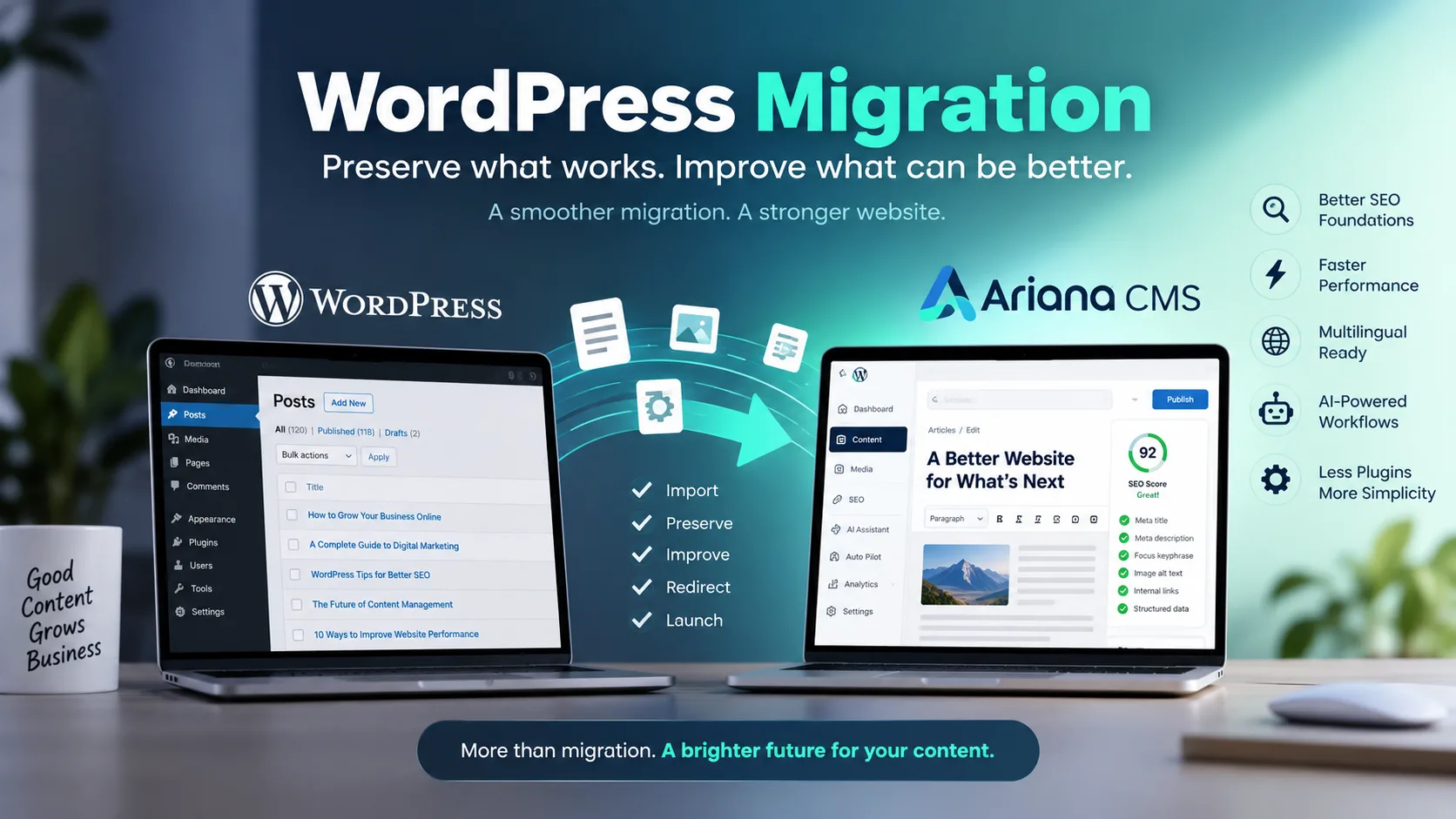
You can handle a WordPress migration without losing SEO — and even come out ahead — by treating the move as an opportunity to fix what was already broken, not just copy it across. That is exactly the approach Ariana CMS takes: migrate the valuable parts of your WordPress site, preserve important URLs and SEO signals, and use the process to improve basic SEO elements along the way.
Instead of carrying every old problem into a new system, Ariana can refresh missing metadata, summaries, image information and other page-level foundations. Your content moves into a CMS built around integrated SEO, performance, AI assistance and automation.
In other words, the goal is not simply:
WordPress → another CMS.
It is:
Preserve what works → improve what can be improved → leave unnecessary complexity behind.
That difference matters, especially for websites that have been publishing for years.
A mature WordPress site may contain hundreds or thousands of pages. Different editors created them under different SEO standards, using different plugins and workflows. Some pages may be well optimised. Others may have missing meta descriptions, weak summaries, poorly handled images or inconsistent on-page SEO.
A conventional migration reproduces all of those inconsistencies. It moves the content but does nothing about the underlying problems. For sites where page speed and technical foundations are already a concern, that is a missed opportunity.
Ariana approaches the migration as a broader technical and SEO refresh — one that sets the site up to perform better in its new home, not just survive the move.
What Is WordPress Migration?
WordPress migration is the process of moving a website from its current WordPress environment to another server, domain, architecture or content management system.
That sounds straightforward until you consider what a website actually contains.
It is not just pages and images.
A functioning website may depend on its URL structure, authors, categories, tags, media library, internal links, redirects, metadata, canonical URLs, structured data, multilingual relationships, theme behaviour and years of backlinks pointing to specific addresses.
That is why a successful WordPress migration cannot be judged simply by whether the new homepage loads.
The real question is whether the value and relationships behind the website survive the move.
Why Can a WordPress Migration Affect SEO?
Search engines have already developed an understanding of your website.
They know many of your URLs. They have crawled your internal links. Some pages have accumulated backlinks. Others may rank for valuable queries. Search engines have also processed titles, descriptions, structured data, canonical signals and relationships between pages.
Changing those signals unnecessarily can create problems.
For example, if an article previously existed at:
example.com/blog/wordpress-migration
and the migration changes it to:
example.com/articles/5847
without properly handling the old URL, search engines and visitors encounter a different website structure.
The same issue can occur at scale across thousands of URLs.
This is why URL preservation, redirects and metadata require careful attention during migration.
No CMS can responsibly guarantee that rankings will never fluctuate after a migration. Search performance depends on many factors outside the CMS itself.
What a good migration platform can do is reduce avoidable risk by preserving important SEO signals and preventing unnecessary technical disruption.
How Does Ariana Handle WordPress Migration?
Ariana CMS approaches WordPress migration as more than a simple data transfer.
The goal is to preserve the parts of the existing website that create value while moving the site into a more integrated environment.
Ariana can support the migration of important WordPress website elements such as:
Articles and pages
Authors
Categories
Tags
Media files
SEO information
Existing URL structures where possible
Redirect relationships where URLs need to change
SEO information from common WordPress setups, including tools such as Yoast and Rank Math, can also form part of the migration process.
Where an existing permalink structure can be retained, preserving the original address helps minimise unnecessary disruption.
Where an old URL cannot be preserved exactly, permanent redirects can connect the old address with its correct destination.
That leads to one of Ariana's central migration principles:
Do not change a valuable URL simply because the CMS changed.
Ariana Doesn't Just Migrate the Website — It Improves It
This is where Ariana's approach to WordPress migration becomes more interesting.
Traditional migration software is usually designed around replication.
It asks:
"How accurately can we copy the old website?"
But perfect replication is not always the best outcome.
If a page is missing important basic SEO information before migration, why deliberately recreate the same problem afterward?
Ariana can use the migration process to identify missing or incomplete page-level SEO foundations and improve them using the existing content. This makes it possible to handle a WordPress migration without losing SEO ground — and often to come out ahead.
Depending on the available information and migration configuration, this can include:
Filling missing meta descriptions
Creating useful page summaries where they are absent
Improving basic page-level SEO information
Preserving useful existing SEO metadata
Processing and optimising imported images for better site speed
Improving missing image information where appropriate
Preserving important URLs wherever possible
Creating redirects where URLs must change
Maintaining important content relationships
This means migration can become a controlled website-refresh process.
A strong existing field can be preserved.
A missing foundational field can be completed.
A useful URL can remain unchanged.
An unavoidable URL change can be redirected.
An unnecessarily heavy image can be processed more efficiently.
The philosophy is simple:
Good existing SEO should be preserved. Missing or weak fundamentals should be improved rather than blindly copied.
What Does a Site-Wide SEO Refresh Mean?
Imagine a WordPress publication with 5,000 articles.
Some of those articles may have been created recently under strong editorial and SEO standards.
But perhaps hundreds of older pages have missing descriptions. Some may lack useful summaries. Image practices may have changed over time. Different editorial teams may have used different conventions.
Individually, these problems may seem small.
Across thousands of pages, they become technical debt.
Ariana can use the migration process to address some of these basic inconsistencies instead of transferring them untouched into the new CMS.
That changes the migration model from:
Migration + Replication
to:
Migration + Preservation + Improvement
It is important, however, to distinguish this from a complete SEO strategy.
Automatically improving metadata or basic page-level SEO does not replace keyword research, editorial judgement, topical authority, original reporting, link acquisition or understanding what users actually want.
Ariana can improve the foundation.
Humans still determine the strategy.
What Happens to SEO After the WordPress Migration?
Migration is only the beginning.
Once content has arrived, Ariana's SEO capabilities continue operating as part of the CMS rather than functioning as a completely separate plugin layer.
Pages can continue to be analysed and improved after migration.
Important technical SEO elements can include:
Canonical URLs
Meta information
Structured data
XML sitemaps
Open Graph information
Hreflang for multilingual content
Internal website relationships
This creates an important difference between migration-time optimisationand ongoing optimisation.
Ariana can improve missing fundamentals during migration, while the website can continue to be reviewed, maintained and improved after the move.
Why Move Away From WordPress at All?
There is nothing inherently wrong with WordPress.
Its enormous ecosystem is one of the reasons it became one of the world's most widely used content management systems.
A well-built and properly maintained WordPress website can perform extremely well.
The problem for some organisations appears later.
A website might begin with a relatively simple WordPress installation and gradually accumulate an SEO plugin, caching plugin, security plugin, redirect manager, translation system, image optimiser, page builder, backup solution and several custom integrations.
Each solution may work perfectly well individually.
But someone still has to maintain the system as a whole.
Updates need testing
Plugins can interact
Configurations need managing
Security needs attention
Performance needs monitoring
Publishing processes may depend on several systems working together
For some businesses, that flexibility remains worthwhile.
For others, operating the CMS starts becoming a job of its own.
How Is Ariana Different From a Plugin-Heavy CMS?
Ariana was designed around a more integrated model.
Its wider platform approach combines content management with capabilities for SEO, AI assistance, automated publishing, multilingual content, theme management, performance and other website operations.
This does not mean every plugin is bad or every WordPress site is unnecessarily complicated.
It means Ariana makes a different architectural choice.
Instead of asking:
“Which additional tool do we need to install to perform this task?”
the objective becomes:
“Can the CMS already do this?”
For organisations operating substantial content websites, that distinction can reduce ongoing administration and simplify workflows.
What Happens to Website Performance After Migration?
Performance is another area where migration can become an opportunity for improvement.
WordPress websites can be extremely fast, but performance often depends on the quality of the theme, hosting, plugins, caching configuration, media optimisation and development decisions.
Ariana approaches several of these areas at platform level.
Its performance-oriented architecture can support areas such as:
Full-page caching
Responsive images
Lazy loading
Optimised image delivery
Script management
Font optimisation
Core Web Vitals-focused improvements
The important point is not that changing CMS automatically makes every website fast.
Hosting, theme design, third-party scripts, media and page complexity still matter.
The advantage is architectural: performance optimisation can be treated as part of the platform rather than another layer added after a website becomes slow.
Can Ariana Manage the Website After Migration?
This may ultimately be more important than the migration itself.
A website is never really finished.
After launch, articles need updating. New content needs publishing. SEO needs attention. Languages need maintaining. Products change. Information becomes outdated.
Traditional CMS platforms primarily provide the environment in which people perform those tasks.
Ariana is designed to automate appropriate parts of the workflow as well.
Through AI-assisted administration and automation, teams can reduce repetitive operational work while maintaining human control over strategic decisions.
Potential workflows can include:
Content publishing
Content updates
SEO optimisation
Translation workflows
Media processing
Scheduled publishing
Recurring website-management tasks
That means the business case for WordPress migration is not limited to the day the website changes CMS.
The bigger question is how much work the new platform can simplify during the months and years afterward.
What Is a Better WordPress Migration Process?
A reliable migration should begin before any content is moved.
First, understand the existing website.
Identify its important URLs, organic landing pages, backlinks, authors, categories, metadata, redirects, media assets and functionality.
Then distinguish between what deserves to be preserved, what needs to be improved, and what should be retired.
From there, the migration process becomes much clearer:
Audit → Import → Preserve → Improve → Redirect → Validate → Launch → Monitor
After migration, the new website should be crawled and compared with the previous version.
Critical checks should include:
Important URLs
301 redirects
Canonical tags
Meta titles and descriptions
Structured data
Internal links
Images
Sitemap behaviour
Indexability
Search Console monitoring after launch
The best migration technology still deserves a proper quality-assurance process.
Should You Migrate Your WordPress Website to Ariana?
Not necessarily.
Migration should solve a problem.
If your WordPress site is secure, fast, easy to operate, inexpensive to maintain and supports everything your organisation needs, changing CMS simply because another option exists may create unnecessary work.
Ariana becomes more compelling when maintaining WordPress is becoming more complicated than using it.
That may happen when:
Your website depends on numerous plugins
Routine tasks require significant developer involvement
Your publishing operation is growing quickly
Multilingual management has become complicated
SEO work is fragmented across different tools
Performance requires constant maintenance
Your team wants to automate repetitive publishing tasks
You want more website capabilities integrated into the CMS itself
In these situations, migration is not simply a technical decision.
It becomes an operational one.
WordPress Migration Should Leave Your Website Better Than It Found It
The simplest WordPress migration moves data.
A better WordPress migration preserves value.
An intelligent WordPress migration asks whether the transition can also improve the website.
That is the approach behind Ariana.
Content, authors, media, taxonomy and SEO information can move from WordPress. Important addresses can be preserved where possible and redirected where necessary. Missing basic SEO information can be improved during migration. Images can be processed.
Then Ariana's integrated SEO, performance, multilingual, AI and automation capabilities can support the website after launch.
So the final question should not be:
“Did everything move from WordPress?”
It should be:
“Did everything valuable move — and is the website better now than it was before?”
That is what a modern WordPress migration should aim to achieve.
Considering a WordPress migration?Explore Ariana CMS to see how your existing website can be migrated, refreshed and moved into a platform designed to keep improving after launch.
Also credited